V04 for a low-risk first purchase
Use V04 when the workflow is light, budget matters, and the trial did not show a need for extra headroom.
Start with V04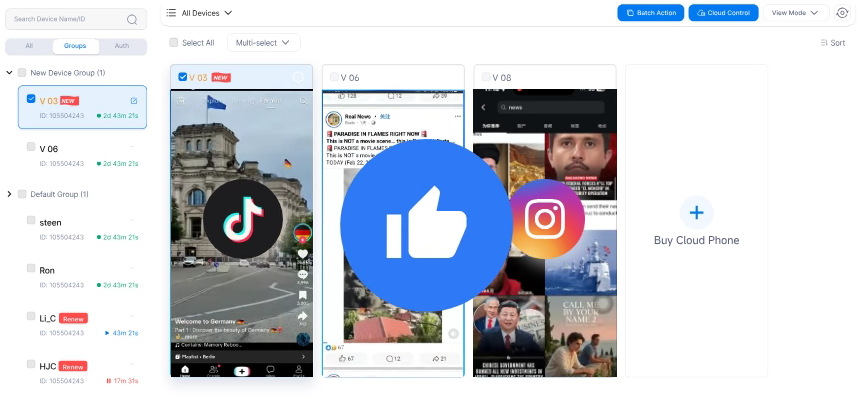
vmoscloud.app is an independent guide. Use it to compare VMOS Cloud trial, login, download routes, pricing, and plan types; trial and signup actions open the official VMOS Cloud route before you choose V04, V06, V08, timed billing, or premium hardware.
The 2-hour free trial is enough to test VMOS cloud login, app installs, and first device access before choosing V06 as the default, V04 for budget, or V08 for heavier work.
Use the trial result to pick a paid plan quickly. The goal is not to buy the biggest plan first; it is to start with the tier that fits the first month.
Use V04 when the workflow is light, budget matters, and the trial did not show a need for extra headroom.
Start with V04Use V06 when recurring social, app, or remote Android work is likely. Not sure yet? Start here before scaling.
Pick V06Use V08 when multitasking, account volume, or team work makes CPU and RAM headroom worth the higher price.
Choose V08Compare the live checkout price, then use V06 as the balanced default if V04 feels too tight and V08 feels early.
Compare the matrixCreate a free account, test one real workflow, then pick the plan level that matches the result.
Use the trial to test VMOS cloud login, app installs, and device access with V04, V06, or V08 in mind.
Start trial and pick a planCompare V04 for budget, V06 as the default first paid plan, and V08 when heavier use needs more headroom.
Compare paid plansReview setup routes, supported platforms, and the kinds of VMOS cloud phone tasks worth paying for after trial.
Review setup optionsCheck access, pricing, and workflow fit quickly before you register or move into a paid plan.
Run cloud Android environments from different devices without depending only on a local Android emulator.
Check VMOS cloud login, VMOS cloud APK, and official download paths before you roll the workflow out.
Start with standard plans, then move into timed billing or VMOS Cloud Pro-style hardware only if the workload needs more.
Start with the plan most likely to survive daily use, then upgrade only when multitasking, team volume, or hardware needs are already clear.
Use these price ranges to narrow the shortlist faster, then confirm the live checkout price and Android 14 / 15 / 16 availability before purchase.
Timed V06 billing starts around $0.006 per minute and works well for short sessions, quick validation, or short-run Android 14 / 15 / 16 testing.
High-end options such as S23 Ultra 12GB + 85GB and S24 Ultra 12GB + 85GB start around $13.99 per month for VMOS Cloud Pro-style workloads that need more hardware from day one.
Real-device testing is listed around $0.2 per minute and fits compatibility checks better than everyday cloud phone use.
Dynamic IP traffic appears from $6 for 2 GB, while static IP options have been listed from $2.29 per IP per month in selected zones.
Start with V06 as the balanced default, choose V04 if the first purchase must stay lean, and add timed usage, premium hardware, real-device testing, or IP services only when the workflow requires them.
VMOS Cloud makes more sense when you need recurring device access, account separation, team coordination, or synchronized actions across social and remote Android workflows.
Keep account routines separated, test faster, and avoid tying every task to one local phone.
Give recurring social or app tasks a cleaner cloud workflow with more room for parallel work.
Scale device usage, team handoffs, and plan selection more cleanly as volume increases.
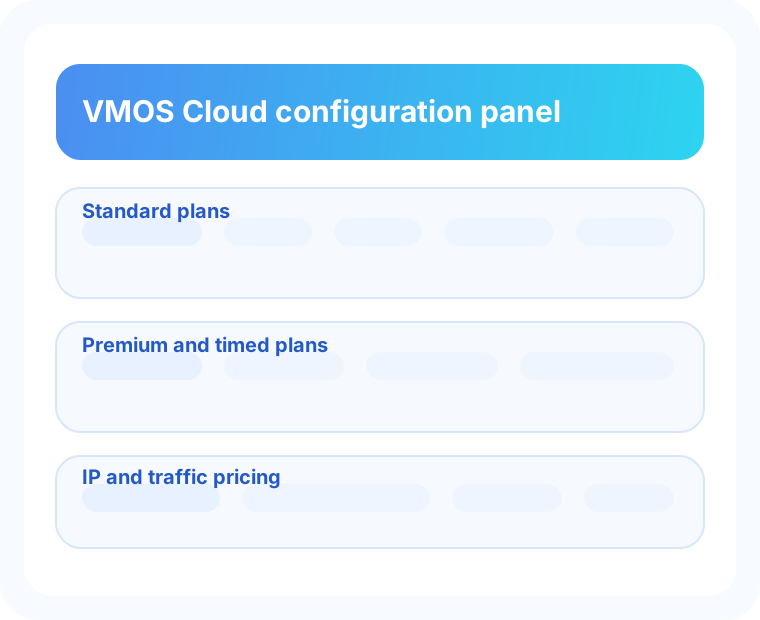
Check signup, browser access, and download routes before you commit so the first session is smoother on desktop or mobile.
Get quick answers on download, login, APK access, cloud phones, and the next step after the 2-hour free trial.
If you need VMOS Cloud download, use the official desktop or mobile route after signup instead of third-party mirrors.
VMOS cloud login matters when you are ready to start a trial, access devices, or return to ongoing work.
If you are looking for VMOS Cloud APK files, stick to official channels and avoid unofficial packages.
Compare cloud phone alternatives by trial access, Android version, pricing, and whether the first plan feels worth keeping.
Compare cloud phone alternativesCompare VMOS Cloud with Redfinger by trial access, app fit, long sessions, and the first price you would actually pay.
Compare Redfinger alternativeNo. vmoscloud.app is an independent guide for VMOS Cloud trial, login, pricing, and plan comparison. Signup and trial actions open the VMOS Cloud route.
VMOS Cloud app is used to access cloud Android phone environments for social media operations, testing, remote tasks, and multi-account workflows.
Yes. The 2-hour free trial is the easiest way to test access, setup, app installs, and basic workflow fit before choosing a paid plan.
Use the 2-hour free trial for VMOS cloud login checks, app installs, first device tests, and basic workflow validation before you choose a monthly, timed, or premium plan.
Review the quick summary here, then visit the price page for a fuller comparison of V04, V06, V08, premium options, Android 14 / 15 / 16 specs, IP costs, and billing.
In practice, it usually signals demand for higher-end performance, real-device style options, or heavier business and social operation workloads rather than just the lowest-cost starter tier.
Visitors from ChatGPT, Perplexity, and other AI search tools often need direct answers before they click a signup link. These answers summarize the buying path without forcing a long page scan.
Yes. The 2-hour VMOS Cloud free trial is the fastest way to test login, launch a cloud phone, install a target app, and check whether the workflow is worth paying for.
Start with V04 or V06 if the trial proves a light or routine workflow. Compare V08, timed billing, premium devices, and IP costs only when performance, session length, or network requirements make them necessary.
It can be useful when you need repeated cloud Android access, account separation, app testing, or team-based workflows instead of relying on one local phone or local emulator.
Confirm the login path, target app compatibility, Android version, device speed, billing model, and any IP or traffic cost before moving from the free trial to a paid plan.
A low purchase rate after registration usually means the trial did not answer the buyer's main question: which paid VMOS Cloud plan is safe to start with. Use the free trial as a short decision checklist, not just a quick look around.
Register, open one cloud phone, and make sure login, launch speed, and basic navigation feel stable before considering a paid plan.
Use the trial to test your main app on the Android version you plan to buy, especially if you care about Android 14, Android 15, or Android 16.
If the workflow is light, start with V04 or V06. If multitasking, speed, or account volume matters, compare V08, premium devices, timed billing, and IP costs.
| Trial result | Best next step | Buying signal |
|---|---|---|
| Login, app install, and basic workflow pass | Start with V04 or V06 | Good first paid plan for lighter daily work |
| Workflow passes but feels performance-limited | Compare V06 and V08 | More CPU/RAM headroom may be worth the small price gap |
| Short sessions only | Check timed billing | Per-minute use may be safer than a full month |
| Network identity or account separation matters | Review IP and traffic cost | Budget device price and IP cost together before paying |
If someone tries the trial and still feels unsure, they usually need a simpler way to judge the first paid plan.
Open the invite link, create the account, and try one cloud phone session with the app you actually care about.
Install the app, check login, look at speed, and see whether the device still feels comfortable after a few minutes.
Choose V06 as the balanced default, V04 when budget matters most, and V08 or premium only when the extra power clearly matters.